


Why prioritize laser printers in cold storage?
According to WHO data, up to 50% of vaccines worldwide are lost due to issues related to storage and transportation. Inaccurate or damaged labeling also contributes to this loss. This highlights the importance of implementing a suitable printing system in cold storage environments.
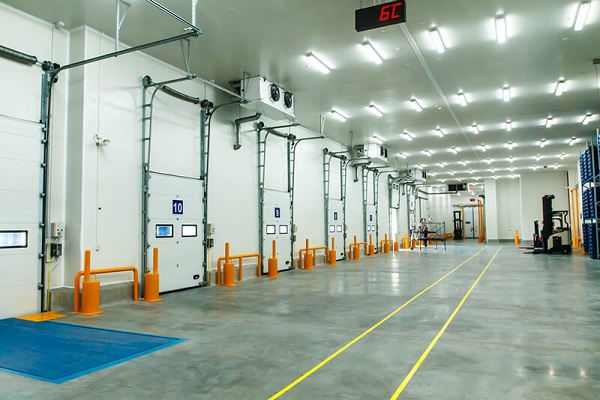
In low-temperature environments, laser printers offer several advantages over inkjet printers. The use of toner powder and a heated fuser unit ensures that prints do not smudge or freeze.
Additionally, laser printers maintain stable performance under high printing volumes, handling hundreds or even thousands of labels or documents daily without compromising quality. Particularly in cold storage, their resistance to temperature and humidity fluctuations helps reduce the risk of paper jams, smudging, or component damage.
Challenges of printing in cold storage and how to overcome them
Printing operations in cold storage face three major challenges:
- Low temperatures: Fuser units take longer to warm up, leading to faint or uneven prints.
- Condensation humidity: Paper becomes wrinkled, jammed, and prone to ink smudges.
- Static electricity: Causes multiple sheets to feed or damages the paper surface.
To overcome these issues, businesses can equip printers with thermal covers to maintain a stable temperature. Store paper and labels in a dry environment before moving them into cold storage.
Additionally, grounding the printer to discharge static electricity helps maintain performance stability.
Placing printers in cold storage
The placement of a printer directly affects its lifespan and operational efficiency. The optimal solution is to position the printer outside the cold storage area. This ensures stable operating temperatures and reduces component wear.
If it must be placed inside cold storage (0–8°C), use an insulated enclosure with a condensation-prevention heater and a continuous power supply (UPS) to protect electronic components.
Connections and print management software
In cold storage, network cables and data transmission connections must be chosen to withstand low temperatures; otherwise, they become brittle and break easily. Place printing servers and queue management systems outside the cold area to minimize risks while allowing quick adjustments to printing parameters for different temperature ranges.
Standard operating procedures for cold storage printing
Before operation, check the temperature and humidity inside the enclosure. Warm the paper before use.
After each shift, remove all remaining paper from the printer to prevent moisture absorption, and dry the paper feed path.
Maintaining printers in cold storage
Printers used in cold storage often experience fuser and roller lifespans 20–30% shorter than those in office environments. Therefore, businesses should schedule regular maintenance for internal components. Tracking the average time between failures allows companies to stock spare parts and supplies efficiently.
Laser printers are a durable and reliable printing solution for cold storage environments. Their strong resistance to harsh conditions ensures print quality. By applying these measures, businesses can optimize printing operations in cold storage facilities.
————————————————————-
👉 For more details, please contact:
📞 Hotline: 02866609898
🏢 Headquarters: 72 Lê Thánh Tôn, Bến Nghé Ward, District 1, Ho Chi Minh City
🌐 Website: https://printsolution.vn/home_vn/