


Why Temperature Matters for Printers
Temperature directly affects the durability and performance of printers, from toner, drum, to the fuser unit. Electronics Cooling points out that, according to the electronics industry rule of thumb (based on the Arrhenius equation), the failure rate of many electronic components can double for every 10°C increase in temperature. This means high temperatures can significantly shorten equipment lifespan.
Therefore, when choosing a printer for high-temperature environments (warehouses, production plants, rooms with compressors, or heat-generating equipment), in addition to print performance, users should pay attention to the operating temperature range and thermal protection features.
Criteria for Evaluating “Heat-Resistant” Printers
Before diving into specific models, keep these criteria in mind:
- Operating Temperature Range
Indicates the safe temperature range for the printer to function.
- Fuser and Drum Protection
Materials, shielding, and thermal isolation in the printer’s design.
- Maximum Duty Cycle
Printers designed for high print volumes generally feature more robust cooling systems and mechanics.
- Warning / Self-Protection Systems
Some models can slow down or trigger an error alert when overheating.
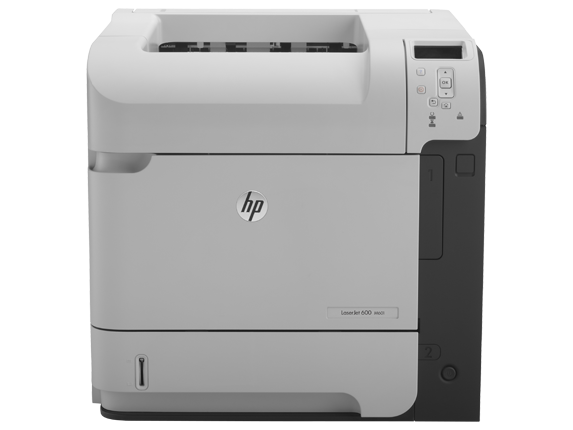
1) HP LaserJet Enterprise M600 / M601 / M602 / M603
Advantages
- Built for high-volume enterprise printing, with sturdy mechanics.
- Fuser and cartridge system designed for quick replacement, reducing the time the printer remains open in hot environments.
- High duty cycle, suitable for continuous printing.
Limitations
- If placed near a direct heat source (compressor, dryer), fuser/drum damage may still occur.
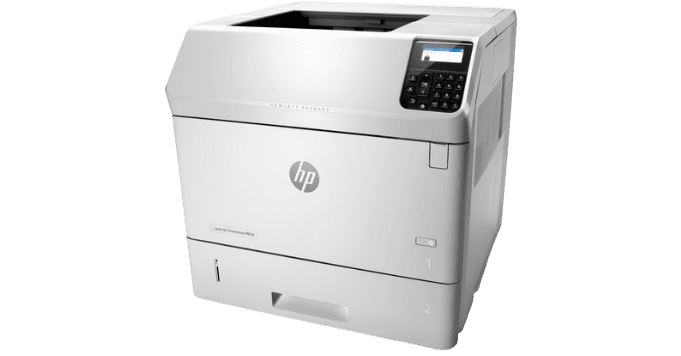
2) HP LaserJet Enterprise M604
Advantages
- High print speed (50 ppm), enterprise-grade design.
- Chassis and components optimized for continuous operation, less sensitive to minor temperature fluctuations compared to consumer models.
- Enterprise models often have better cooling accessories (trays, component layout).
Limitations
- Still has an operating limit and cannot withstand extreme industrial heat.
- Plastic materials and paper feed belts may deform under prolonged high heat, causing curling, jams, or reduced fusing quality.
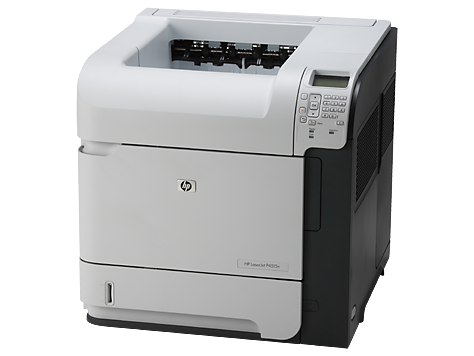
3) HP LaserJet P4515
Advantages
- Designed for high performance and stability in standard office conditions.
- Parts are easy to source, with a large technical support community.
Limitations
- Like the models above, not built for extreme high-heat environments.
- Components such as drum, toner, and paper belts wear out faster if exposed to frequent temperature increases.
Solutions for Placing Printers in High-Temperature Environments
- Maintain Room Temperature in the Recommended Range
Use fans or air conditioning to stabilize temperatures. Every +10°C can quickly increase failure rates, negatively impacting lifespan.
- Avoid Direct Sunlight and Heat Sources
Use partitions, canopies, or ventilated cabinets to protect the printer and ensure ventilation openings aren’t blocked.
- Regular Maintenance
Remove dust, check fuser health, and replace drum/toner with genuine parts to avoid damage from combined heat and dust.
HP M600, M604, and LaserJet 4515 are all strong printer lines, suitable for most factory and warehouse environments. However, they are not specialized for extreme industrial heat conditions. Users should carefully consider their operational needs to optimize business costs.
———————————————————————–
👉 For more details, please contact:
📞 Hotline: 028 6660 9898
🏢 Address: 72 Lê Thánh Tôn, Bến Nghé Ward, District 1, Ho Chi Minh City
🌐 Website: https://printsolution.vn/home_vn/